




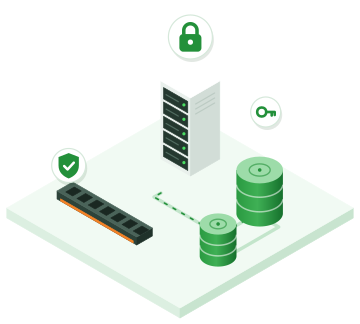
Encrypted VM: padlocked disks, a key unique to the VM and protected memory

Why encrypt your VMs?

A VM leaves its data in several places: on the disk of the server that runs it, in the copies of the distributed storage, in the replicas of your BCP or DRP and in your backups. Without encryption, each of these places can expose it: a replaced disk, a forgotten copy, a poorly protected backup.

On the PYSOFT cloud, this data is encrypted before it leaves the server that runs the VM. This is often required for health, financial or personal data, and it helps meet the requirements of Law No. 18-07 on the protection of personal data.

AES-256 encrypted disks

Tick "encrypted" when you create the VM: the hypervisor encrypts every sector of its disk with AES-256-XTS, transparently. The VM's operating system sees no difference: nothing to install, nothing to configure.

The volumes you add are encrypted in the same way when they are created, and a VM created from an encrypted image is encrypted automatically.

Copies and backups are encrypted too

Encryption takes place on the server that runs the VM, before any copy is made. The distributed storage servers only receive, copy and write encrypted data. The replicas of your BCP and the link to your DRP recovery site only ever see encrypted data.

Your backups and the continuous data protection (CDP) journal also keep the data encrypted: a restore gives you back an encrypted disk, with its key.

One key per VM, destroyed with it

Each VM has its own key. The platform stores it and only hands it to the hypervisor that runs the VM, over a connection that is encrypted and authenticated on both sides (mutual TLS).

When you delete the VM, its key is destroyed: anything that might remain of its disks on our servers becomes unreadable. Its backups keep their own copy of the key, so that they remain restorable for as long as you keep them.

Memory encrypted by the processor (AMD SEV)

Our hypervisors are equipped with AMD EPYC processors. A VM can run on them with memory encrypted by the AMD security processor (SEV), with a key that the hypervisor does not know: its memory remains unreadable from the server. With SEV-ES, the processor registers are protected as well. SEV-SNP, which additionally protects memory integrity, is under development.

This mode applies to OpenBSD VMs and to Linux VMs prepared for it. What a VM sends to its disk or to the network leaves the encrypted memory: also encrypt the disk inside the VM (a tool is provided for Linux) and your network traffic (TLS, VPN).

Encrypted VMs

At a glance

AES-256 disks

Every sector encrypted with AES-256-XTS by the hypervisor, with nothing to install in the VM.

One key per VM

Handed only to the hypervisor that runs the VM, over mutual TLS.

Encrypted copies

Distributed storage, BCP and DRP replicas: encrypted data only.

Encrypted backups

Backups and the CDP journal keep the data encrypted.

Key destroyed with the VM

A deleted VM leaves nothing readable on our servers.

AMD SEV encrypted memory

The VM's memory remains unreadable from the server; SEV-ES also protects the registers.

Process

How it works

Step 1

Create the VM

In the portal, choose your image and tick "encrypted" for the system disk.

Step 2

Encrypt the memory

Optionally, choose AMD SEV or SEV-ES for a compatible OpenBSD or Linux VM.

Step 3

Add your volumes

Create encrypted volumes for your data: they are encrypted from the moment they are created.

Frequently asked questions

Good to know

You choose it when you create the VM or the volume, by ticking "encrypted". A VM created from an encrypted image is encrypted automatically.

The platform stores a key unique to each VM and only hands it to the hypervisor that runs it, over a TLS connection authenticated on both sides. It is destroyed when you delete the VM; your backups keep a copy of it so that they remain restorable.

OpenBSD VMs and Linux VMs prepared for this mode, on our AMD EPYC hypervisors. With SEV-ES, the VM has a single vCPU. For complete protection, also encrypt the disk inside the VM: a tool is provided for Linux.

They run on a dedicated hypervisor, where disk encryption by the platform and encrypted memory are not available. Encrypt their disk within the VM's operating system, for example with BitLocker on Windows.

It protects data at rest: disks, copies, backups, remnants of a deleted VM. It does not replace updates, the VM's firewall or the encryption of your network traffic (TLS, VPN). AMD SEV encrypted memory adds protection against the server itself.
PYSOFT Cloud

The other services in your VDC

How the PYSOFT cloud works

The PYSOFT cloud combines proven building blocks (OpenBSD, KVM, etcd, pf, relayd) around simple, auditable code. The goal: to offer …

Your virtual data center (VDC) in Algeria

A VDC brings your entire infrastructure together in an isolated space: servers, networks, firewall, VPN, storage and load balancers. You …

Virtual servers hosted in Algeria

Virtual servers hosted in Dellys and billed in dinars: choose a predefined configuration or build your VM by the vCPU, …

Appstore: your applications ready in minutes

Choose an application and a VM size: the platform takes care of the rest, from installation to HTTPS, including the …

Autoscaling: your servers follow the load

An instance group adds VMs when the load goes up and removes them when it goes back down. You pay …

Routed SDN network: private networks and public IPs

Each organization has its own network, isolated from the others at the routing level. Your VMs communicate with each other …

Firewall as a Service (FWaaS) based on pf

Every VM has its own firewall, applied on its interface by pf, OpenBSD's firewall. You get the fine-grained control of …

VPN as a Service: IPsec and WireGuard

Connect your offices and your team members to your private network in the cloud, without exposing your servers to the …